Changelog
Follow new updates and improvements to My AskAI.
Add knowledge to a task
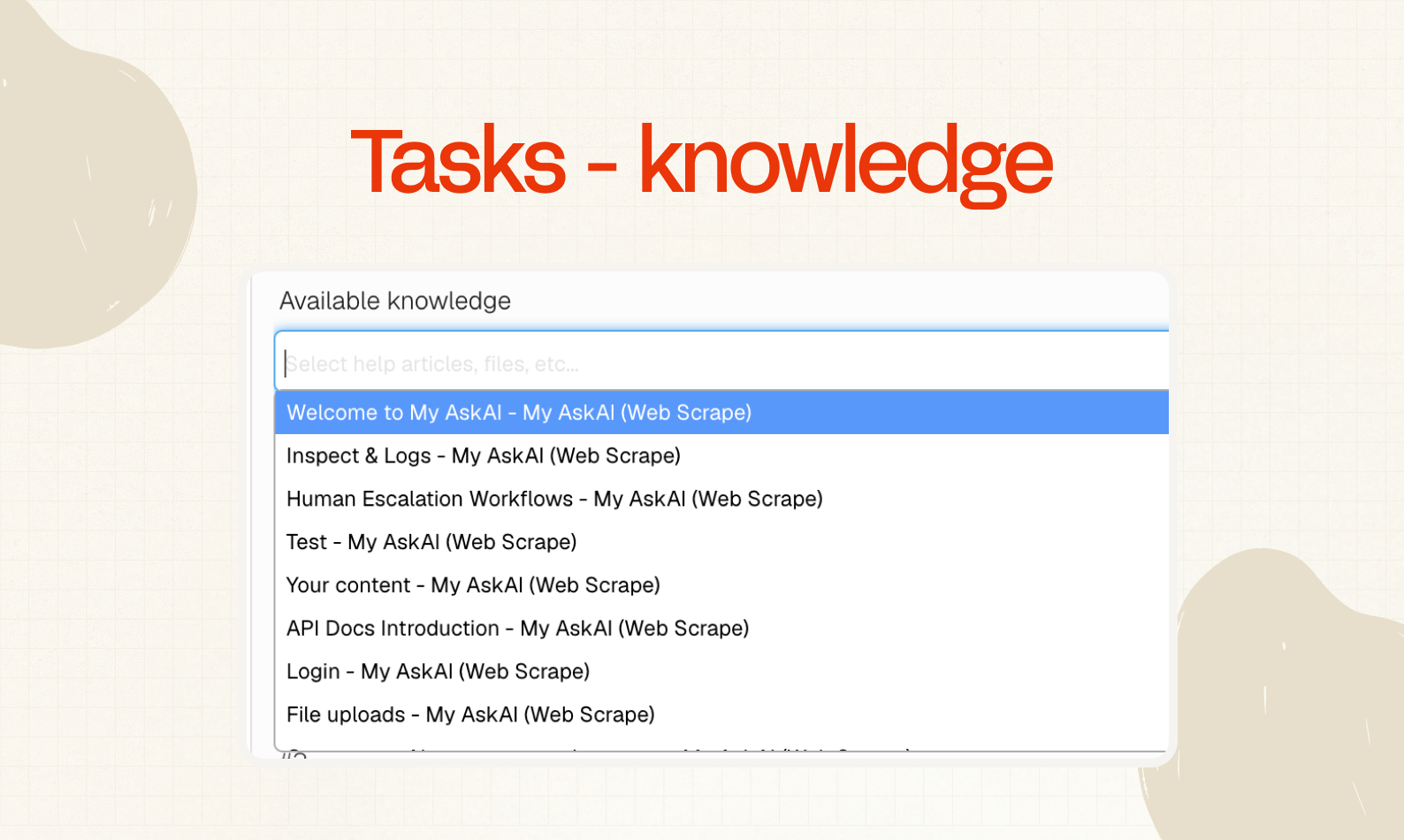
You can now make your tasks more capable by adding specific knowledge to them (webpages, articles, docs etc).
To add knowledge to a Task, open the task by going to Tasks & Tools, then select the task and scroll down to ‘Available knowledge’.
Start typing and you will be able to select any knowledge that you have already added to your AI agent in the ‘Knowledge’ section of the dashboard.
This can be used if you want to give a task awareness of a policy or specific procedure.
You can also add public or private content as knowledge to the task, especially useful if you have longer instructions, policies or rules you don’t want to make public.
Gorgias AI Tagging
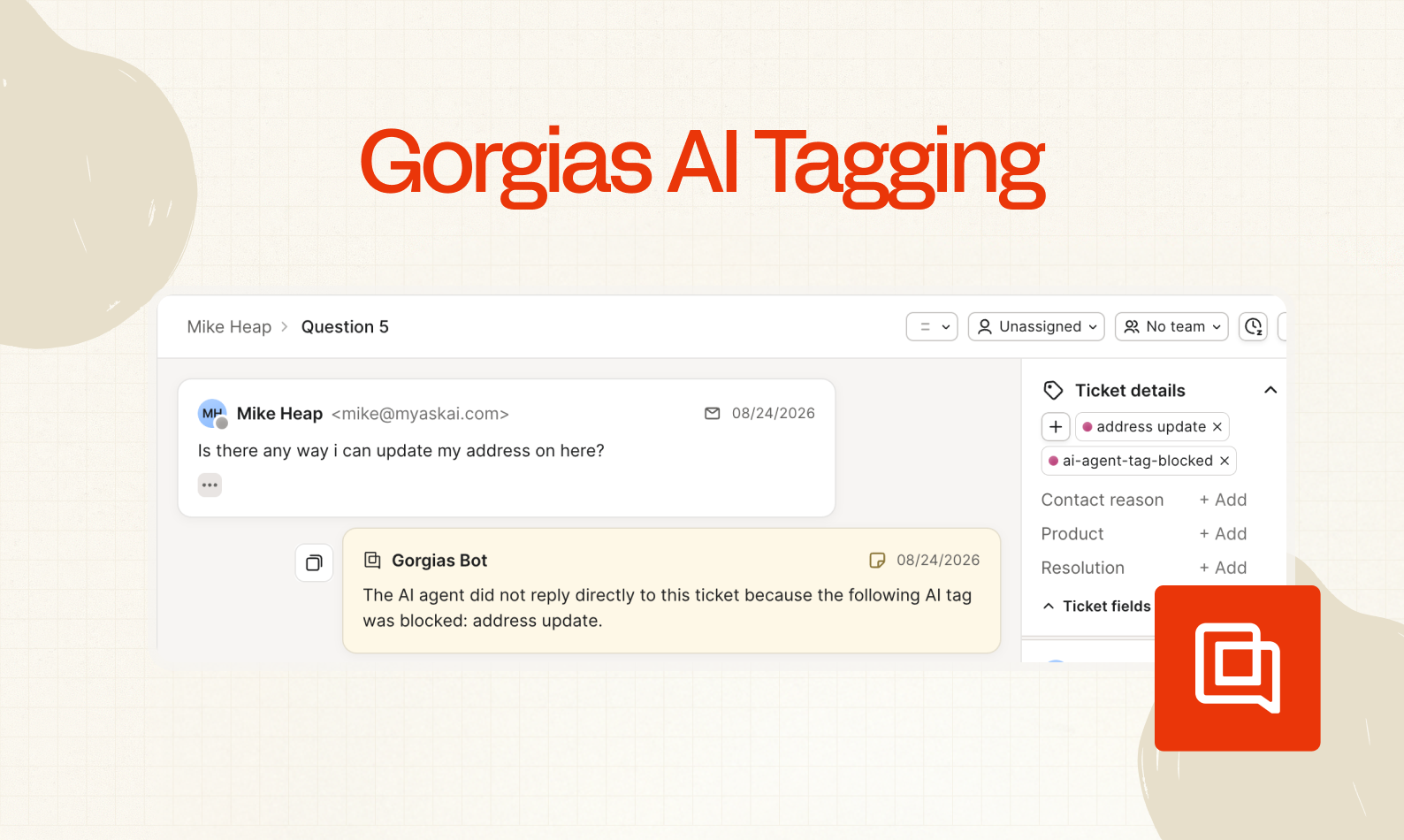
Now you can have AI automatically tag all your Gorgias emails and chats with tags as they come in.
This means you can:
More quickly and consistently report on your ticket volume
Block replies to certain categories of ticket or chats
Add note replies only to categories of ticket or chats
To set it up, just go to AI Agent Setup > AI Tagging and start adding your tags.
Earlier updates
- AI Tagging - AI DescriptionsSmall quality of life one for you here. If you use AI tagging, then maybe you find writing your own descriptions a little tedious? Well now you can click a button and have your tags written (or rewritten) for you, in the optimal way. Just click the sparkle button next to any tag description and it’ll write it for you.Improved
- Echo Agent - Spam FiltersWe’re continuing to add to Echo’s capabilities, now it can block replies to email tickets by: Domain Email address Subject line We also gave it a whole load of playbooks to help you with your setup. Enjoy, and let us what else you want Echo to be able to do!Improved
- Echo Agent: Attachments and ImagesWe’ve been continuing to give your Echo agent more superpowers. This week we’ve add an ability to process images and attachments. This means, for example: If you need help setting anything up you can share screenshots of your helpdesk setup and it will guide you through step-by-step If you want to create a new task, you can just upload an SOP and it will be able to auto convert it If you have some brand guidelines/tone of voice, you can upload directly and Echo can convert into Guidance. Pretty neat eh? You can read more on Echo’s capabilities here.Improved
- Sales Agent + Inventory Check in ShopifyWe’ve made your Shopify AI agent even more capable now, you’ll now notice a new Task in your “Tasks and Tools”. It’ll do 2 things: Your Al agent can now better help users to find products in your Shopify store, asking clarifying questions and guiding them to the best product for them Understand your live inventory stock and all possible variants of a product A customer can come in with a vague question looking for recommendations or share a specific product name/URL to get an instant stock update. Enjoy and let us know what other tasks you want to see your AI agent performing.Improved
- Echo Agent IntelligenceYou all seem to be loving using Echo (and if you haven’t tried it yet, try clicking “Ask Echo” in your account). So we’ve boosted its Intelligence so it can help you even more! Here’s a quick reminder of what Echo can already do (and expect more coming in the next few weeks…)Improved
- SMS Replies (Gorgias)In addition to Chat, Email, Form, and Social Media replies, you can now set your AI agent to reply to SMS messages in Gorgias! Just select the SMS channel dropdown when configuring your agent in Channels.New
- Take Control + Tagged Note Replies (Freshdesk)A small one for the Freshdesk users out there today. You can now jump in on any Freshdesk ticket to stop the AI agent replying. And as a 2-for-1, we have also updated the functionality for Freshdesk Tagging so now in addition to choosing Direct or Blocked replies, you can also choose Note replies for any tickets.Improved